
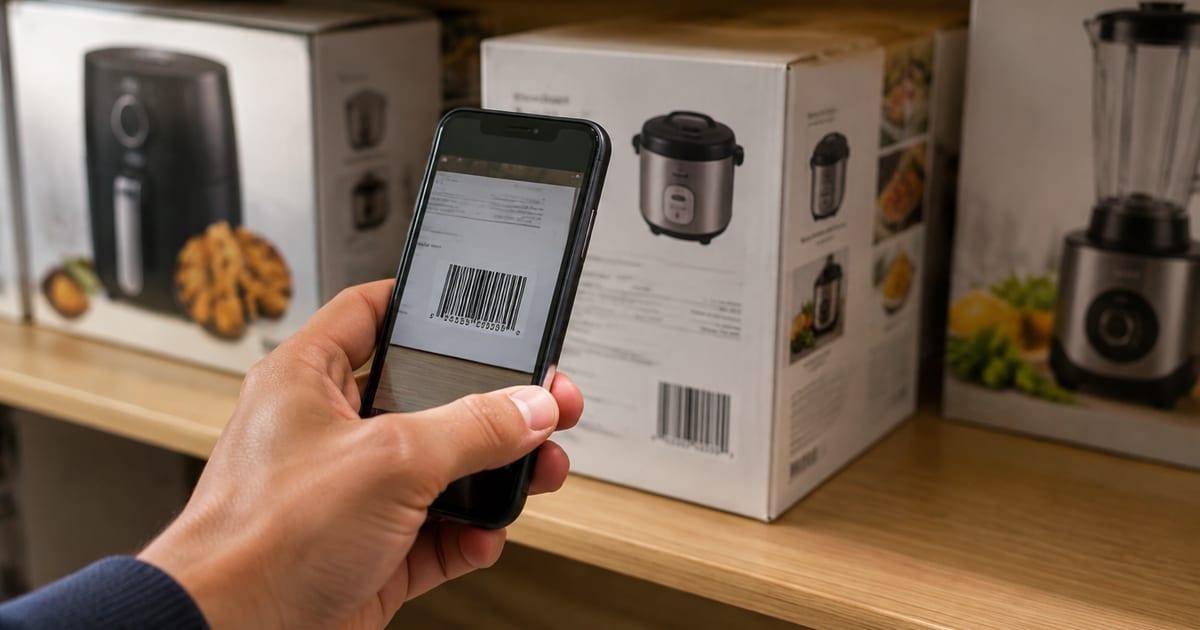
Does a Home Inventory App Need a Barcode Scanner? What Barcodes Can and Cannot Tell You

Searches for a home inventory app with a barcode scanner have a logic to them. Scanning feels like the fast way to enter a house full of stuff, and stores manage thousands of items with a scanner, so why not your closets?
The short answer: a barcode scanner is a useful shortcut for about a fifth of what you own, and a dead end for the rest. Here is what a barcode can actually tell you, where it stops, and how the apps that catalog a whole house do it without one.
What a barcode knows
A product barcode, the UPC or EAN on the box, encodes one thing: which product this is. Scan it and a lookup returns the product name, brand, model and sometimes a stock photo and category. That is genuinely useful for a boxed TV, a book, a board game, a bottle of vitamins. You get an accurate name without typing it.
That is the whole list. The barcode does not know:
- Your serial number. Every copy of that TV model has the same barcode. The serial is on a separate plate.
- When you bought it or what you paid. The receipt knows that.
- What condition it is in. The scratch on the lens is not in the code.
- Where it lives. The barcode is the same in your closet and in the store.
Those four things are what a home inventory is for. So the scanner saves you typing the name, and then the actual inventory work begins.
Where the scanner stops
Walk through a house and count the barcodes you can find.
The boxed electronics still have them, if you kept the box. The books do. The pantry and the medicine cabinet do. The video games do. Then it stops. Furniture has no code. Clothing lost its tag the day you wore it. Tools left the packaging years ago. Jewelry, art, rugs, lamps, the guitar, the camping stove, the bike, the china, anything secondhand, anything handmade, anything inherited: no code. Most people find that somewhere between 70 and 85 percent of what they would want in an inventory has nothing to scan.
That is why a scanner-first inventory ends up with 40 items in it and a drawer of things that never got entered. The tool asked for a code, the item did not have one, and the item was skipped.
Photo-first, scan when it helps
The apps that get a whole house cataloged reverse the order. The photo is the record, and the barcode is a bonus when one is present.
Take a picture of an item, or of a whole shelf, and AI item recognition names what it sees, assigns a category, and writes a short description. A drawer of kitchen gadgets comes back as a garlic press, a zester, two whisks and a can opener. A shelf of camping gear comes back as the stove, the headlamp and the sleeping pads. No code, no typing, and it works on the 80 percent.
For the 20 percent with a barcode, scan it. In SnapFind, the barcode lookup pulls in the known product details, and the same phone camera does both jobs. There is no scanner hardware to buy; the phone reads UPC and EAN codes on its own.
The result is one inventory with everything in it, instead of a scanner inventory of the boxed stuff and a separate mental list of the rest.
The three things to record whichever way the name got there
The name is the easy part. Whether it came from a scan or a photo, an inventory earns its keep on these:
Serial numbers. For electronics, tools, bikes and instruments. Photograph the plate and type the number into a custom field so it is searchable. This is the one an insurer or a police report asks for, and it is never in the barcode.
Purchase date and price. Photograph the receipt, or the order confirmation email, and note the price paid. Do it when the item is new, while the receipt exists.
Location. Which room, which shelf, which bin. This is the field that answers "where is it," which is the question you will ask a hundred times more often than "what is it."
A scanner-first app tends to be good at the name and weak at the location. A photo-first app with a location model handles both.
Barcodes on products versus QR codes on bins
These get confused because both are "codes you scan," and they solve opposite problems.
A product barcode identifies what a thing is. It is identical on every copy of that product ever sold. Scan it and you learn the product.
A QR label on a bin identifies which container this is. It is unique to that one bin in your garage. Scan it and you see what you put in that bin, which the code itself knows nothing about; the contents live in the record behind it.
A complete system uses both, on different things: barcodes on products to name them, QR labels on containers to say where those products live.
An honest note on scanner hardware
Dedicated handheld scanners exist and they are fast, if you are scanning hundreds of identical items a day in a warehouse. For a home, they add a device to charge, software to pair, and a step that only works on the boxed fifth of your stuff. A phone reads codes at the speed you can point it, and it is already in your pocket when you are standing in the garage.
The one case for dedicated hardware is a business with real stock: the same product, many units, counted on a schedule. That is a different problem, and we wrote about where the line is.
What to do this weekend
Pick one closet. Photograph each shelf and let the recognition name what it sees. When you hit a boxed item, scan the code for the name. Type in the serial numbers of the three things you would miss most. Stick a QR label on each bin so the photos stay attached to the container they describe.
Two hours, one closet, and everything in it is searchable, with or without a barcode.
Frequently asked questions
Do I need a barcode scanner for a home inventory?
No. A barcode identifies a product, not your copy of it, and most of what you own either has no barcode or lost it with the packaging. The scanner is a shortcut for boxed electronics, books, games and pantry goods. For everything else, a photo is the record, and a phone camera does both jobs.
What does scanning a barcode actually add to an inventory?
The product name, brand and model, pulled from the code so you do not type them. It does not add the serial number, the purchase date, the price you paid, the condition, or where the item lives, which are the fields an inventory is for. Scan the code for the name, then record those.
Can I scan a barcode with just my phone?
Yes. Any modern phone camera reads UPC and EAN barcodes, and SnapFind has a barcode lookup built in, so scanning a product code fills in known details for that item. No separate scanner hardware is needed for a home inventory.
What about things without a barcode?
That is most of a house: furniture, clothing, tools out of their packaging, jewelry, art, anything secondhand, anything handmade. Photograph them. AI item recognition names and categorizes what is in the photo, so a bin of kitchen gadgets gets cataloged without a single code.
Is a barcode the same as a QR code label for a bin?
No, and the difference matters. A product barcode says what a thing is and is the same on every copy sold. A QR label on a storage bin says which bin this is and is unique to that one container. One identifies the product; the other identifies the location.
Try it on the one closet with the most boxes in it. Download SnapFind, photograph a shelf, scan the one barcode you find, and search for something on it from another room.